
Having trouble?
All students will be required to have Duo Mobile by April 15
– Registration for Fall Quarter will take place in Workday. You will need to sign up for Duo Mobile to use Workday.
– Students with on-campus jobs should already have Duo Mobile active on their accounts, and no further action is needed.
*Incoming Freshman will join Duo Mobile during Summer Orientation sessions.
Helpful Information
- Classes will not post to Canvas until the day before or day of classes. If you do not see your courses in Canvas, verify that your classes are on your boss account, at boss.latech.edu
- Set your password, Self-Service Password Changes
- Your Louisiana Tech Username and Password can be used to log on to most Louisiana Tech Applications, cas.latech.edu Once you have successfully logged in, you will see a menu in the top left corner (three lines), click on that and you will be able to access most Louisiana Tech applications in one place.
- If you need Office downloaded to your computer, you can go to cas.latech.edu and click on Microsoft Office 365, it will direct you to sign in, you will sign in using your username@office.latech.edu, click next, enter your (CAS password). The browser version of Office will load. If you would like to download it to your computer, you will see install apps, click that to install Microsoft 365 apps. (office.com)
- If you would like to sign into Google Apps, you can go to cas.latech.edu, sign in with your username and password, then click on Google Workspace from the top left menu, You will see Welcome to the Louisiana Tech Google Apps. At the top, has Calendar, Mail, Google Drive, etc. Click on Mail, sign in, username@email.latech.edu, or go to gmail.latech.edu. You will also see the Google Menu in the top right corner, 9 small circles, that have all of the applications.
- If you need to use the Tech VPN, it now requires multi-factor authentication (MFA), Duo Mobile.
- On-Campus living – Depending on where you will be living, you may need to bring a router.
- Dorms with WIFI – Cottingham/Richardson (more to come)
- All others require a router for Wi-Fi in your room.
- Basic router (no modem routers, no Apple routers, No mesh routers)

New to the old Red and Blue?
Don’t know a BOSS PIN from a CWID? Whether you are a new student or new faculty, start here to get to know technology services at Louisiana Tech University.
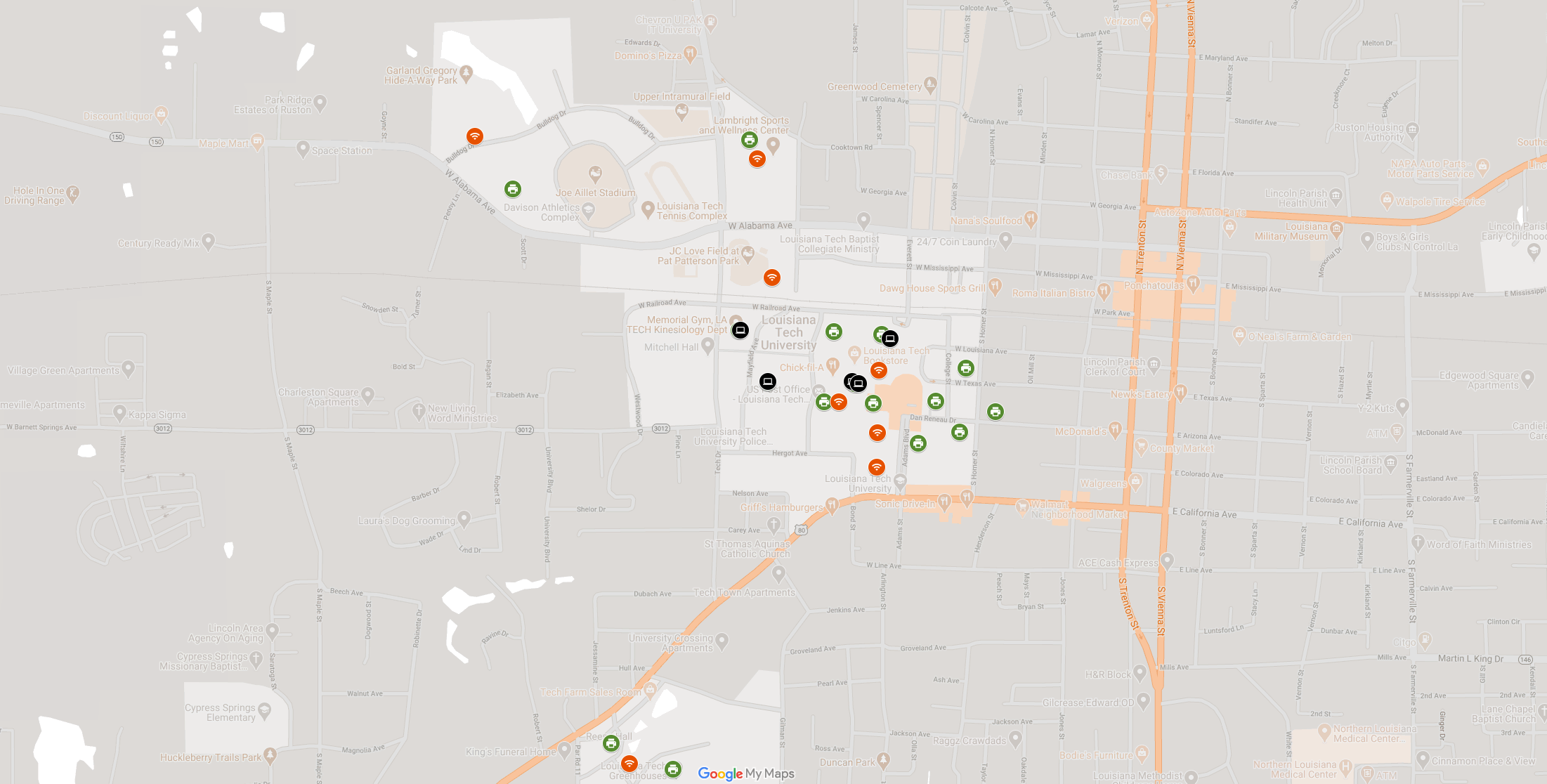
Looking for Something?
Whether you are looking for outdoor WiFi, a convenient print station, or a computer lab – check out our IT services map to find it.

News and Announcements
Louisiana Tech Helpdesk
Helpdesk@LATech.edu
Phone: 318.257.5300
Submit a ticket: https://helpdesk.latech.edu/ticket/
Remote Assistance: remote.latech.edu
WYLY 155 (basement of Wyly Tower)